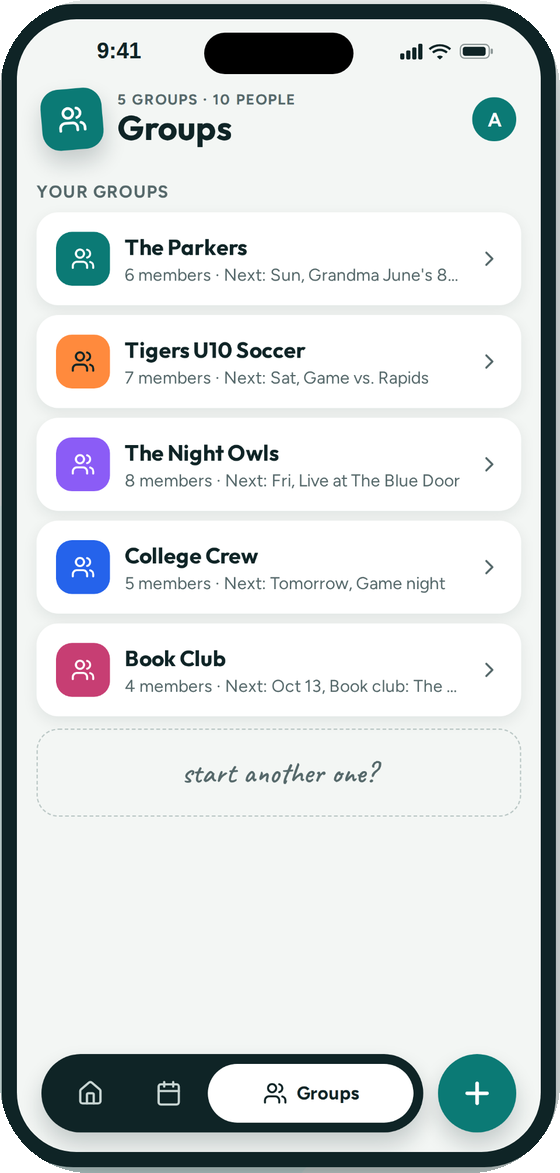
family, team, club or band
A group for every crew
Start as many groups as you need. Add people by phone number, invite code or a QR code they can scan.
Groupy is one shared calendar for every group you belong to. Anyone in the group can post an event, and everyone sees it in one place.
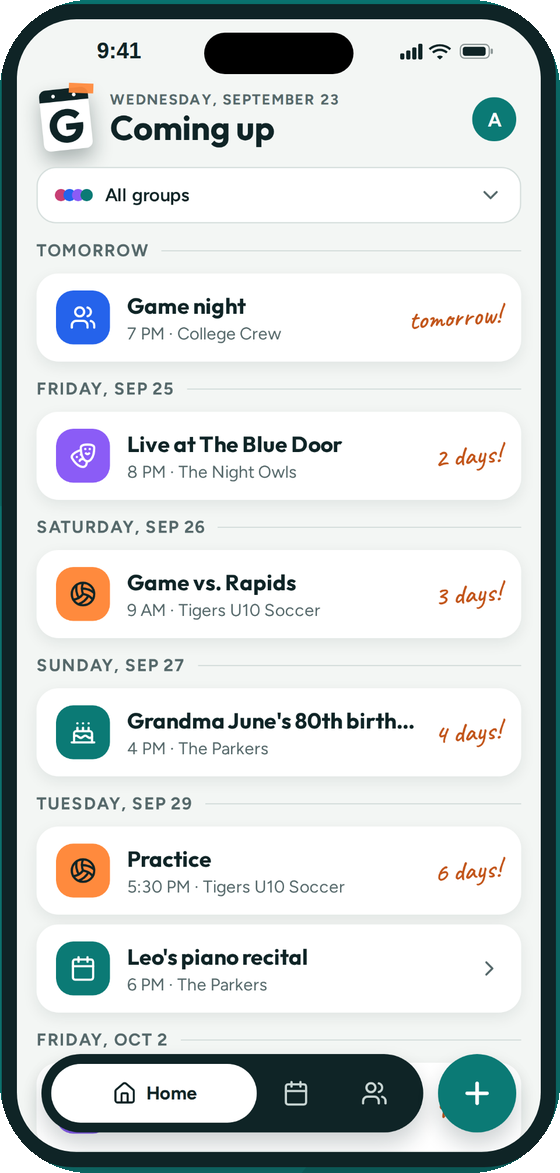
Practices and games, birthdays and trips, book club and band night. Each group keeps its own color, so you always know whose event you're looking at.
Start as many groups as you need. Add people by phone number, invite code or a QR code they can scan.
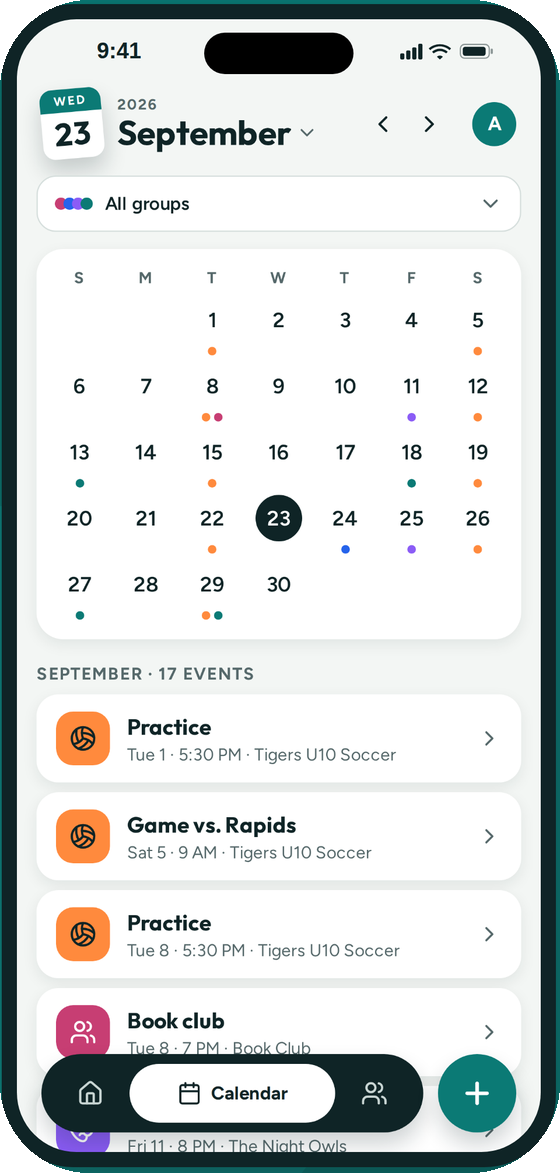
One calendar with a colored dot per group. Filter down to a single group when you only care about one.
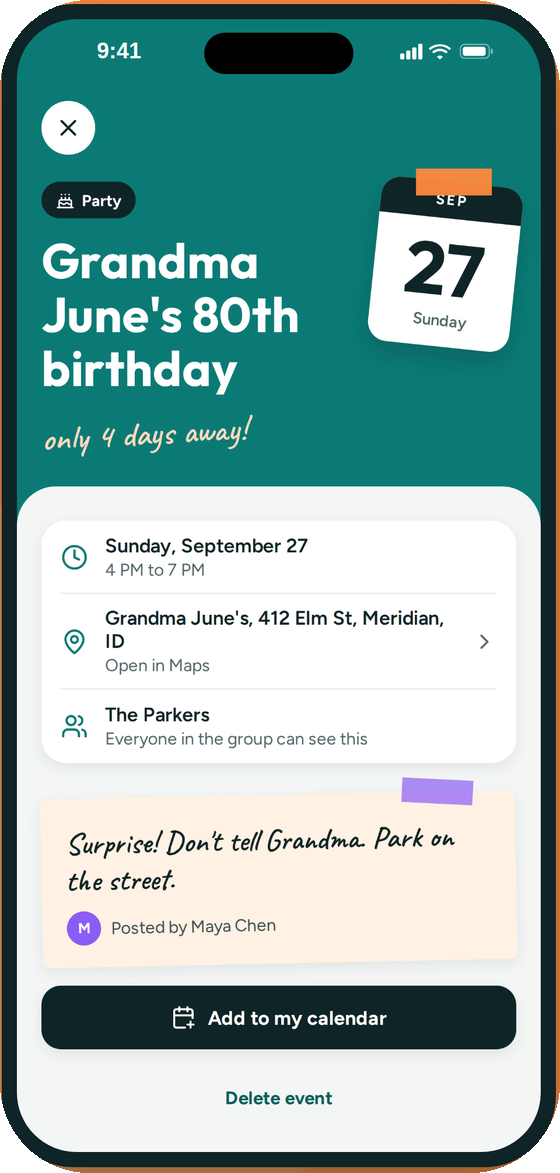
Where, when, who posted it and a note for the group. Open the address in Maps or add the event to your own calendar with one tap.
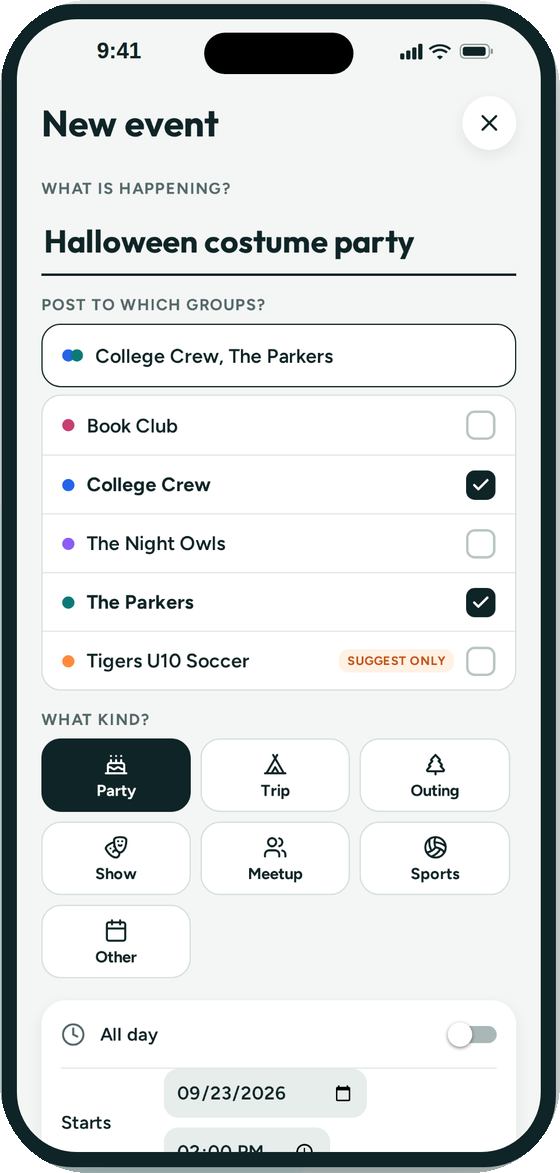
A costume party for the college crew and the family? Tick both groups and post once.
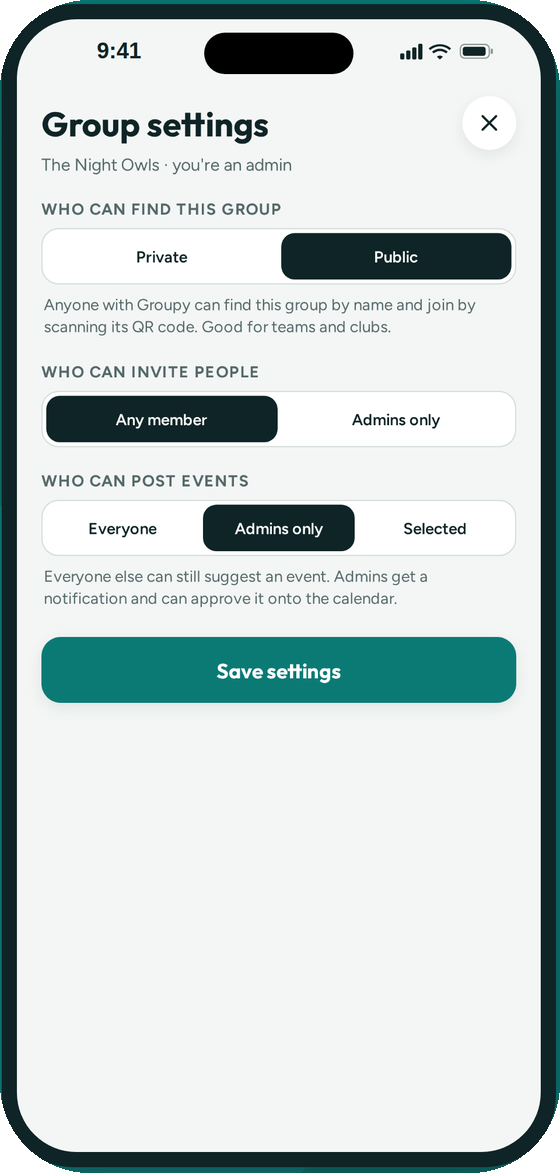
Keep a family group open to everyone, or let only coaches post to the team. Members can still suggest events for admins to approve.
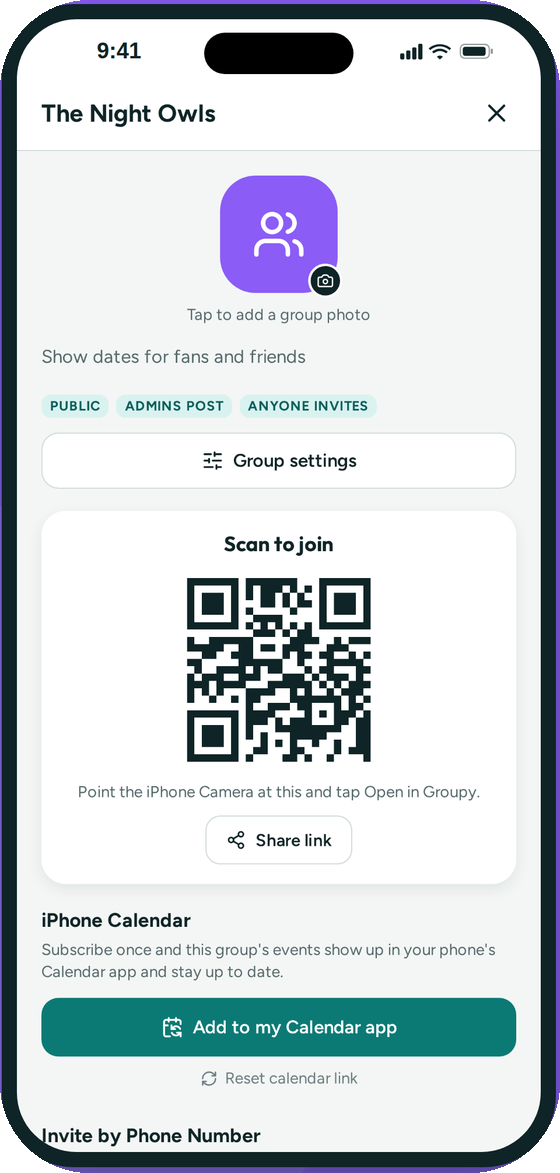
Make a group public and share its QR code. Fans and supporters can follow your dates, or subscribe to them in their phone's Calendar app.
Name it, pick a color, and decide whether anyone can post or only admins.
Send an invite text, share an invite code, or let people scan the group's QR code. They join with the phone number you invited.
Anyone in the group adds the cookout, the game or the trip. Everyone sees it, with a countdown until it's here.

Free on the App Store. Works with iOS 16 and later.