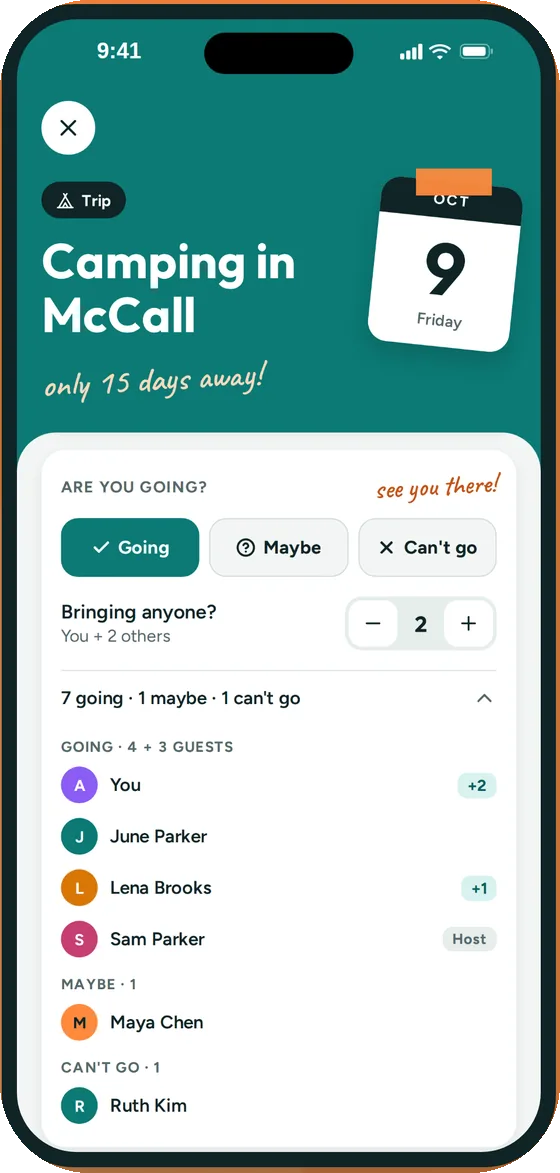
Know who's coming to what
- Guests tap Going, Maybe or Can't go on each event
- They say how many people they're bringing
- You see the headcount before you confirm with the venue
- Turn off Show who's coming on any event so only you see the list
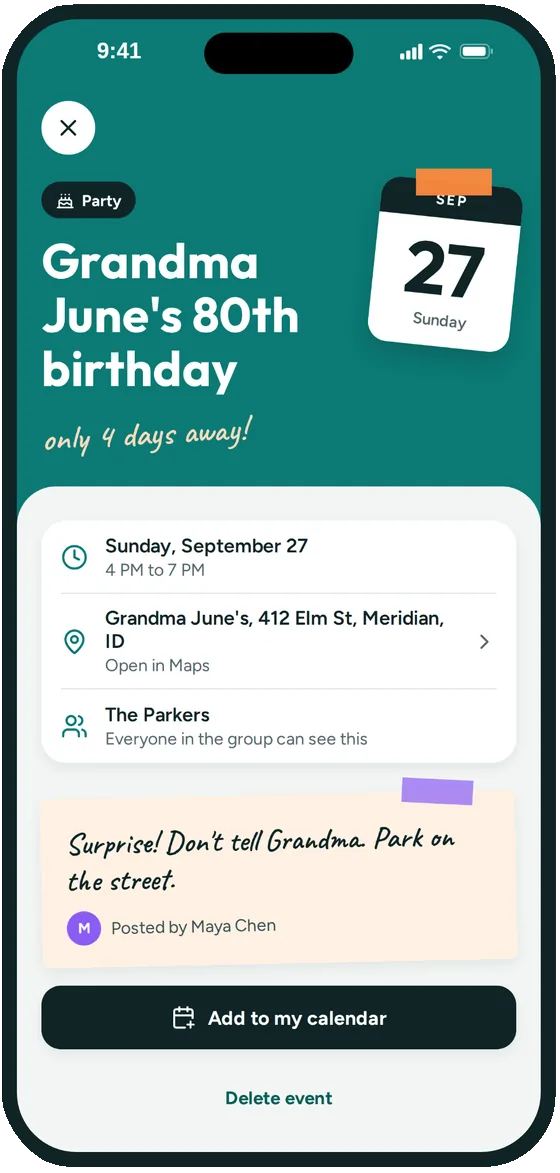
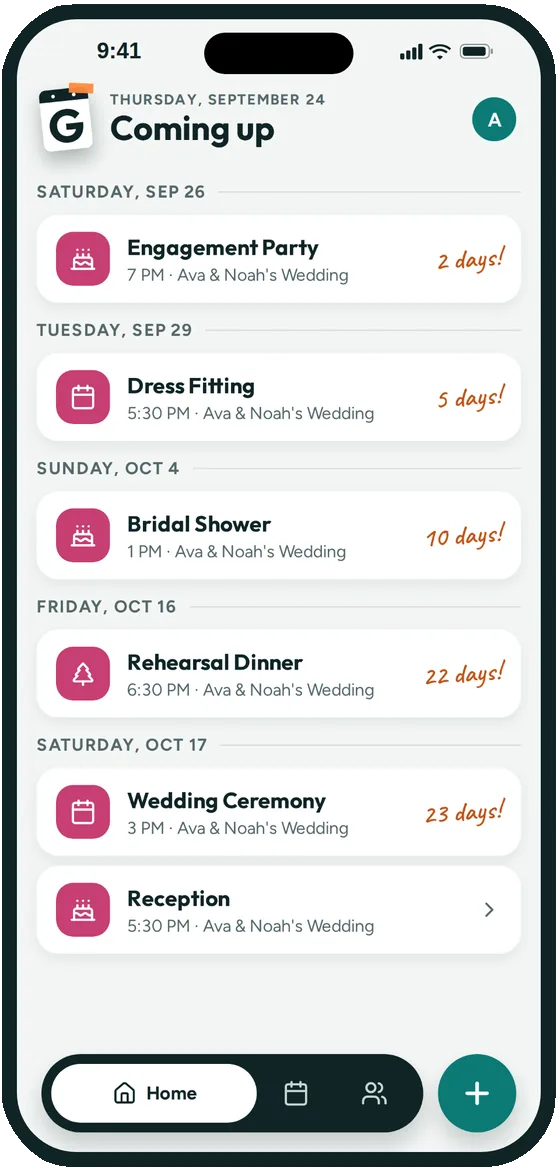
Big celebrations come with a lot of dates. Groupy puts every one of them on a shared calendar for the wedding party and the family, with the address, a reminder and a headcount for each.

Before the wedding there's the engagement party, dress fittings, the shower, the bachelorette weekend and the rehearsal dinner, each with a different guest list and a different place.
The same is true of a family reunion or a milestone birthday weekend. Groupy gives the people who need to be there one calendar with every date, so the bride isn't answering the same question twenty times.
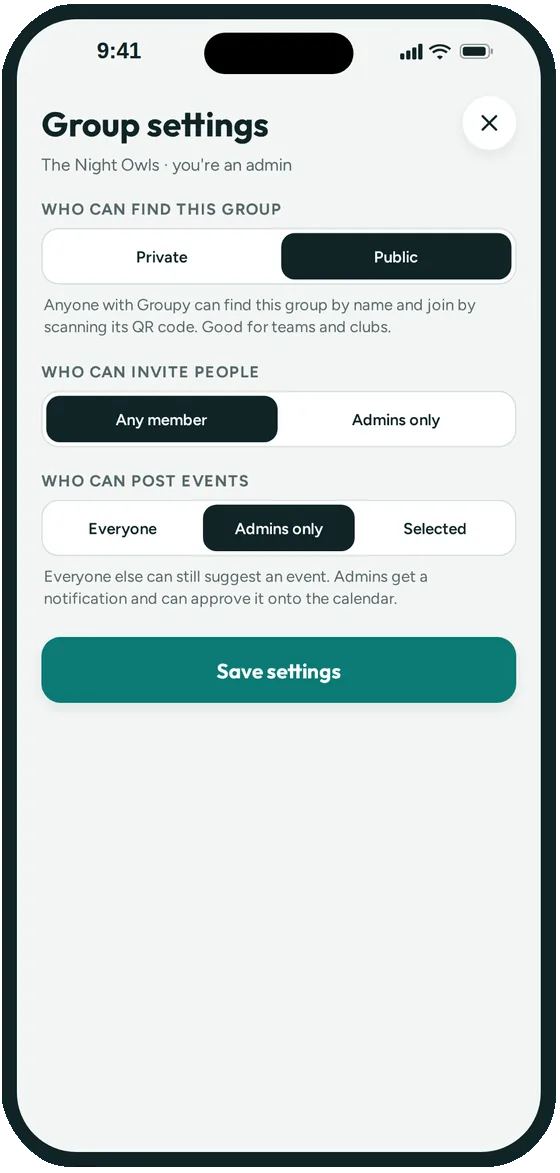
Name it "Ava & Noah's Wedding" and choose who can post, so the schedule stays with the couple and the planner.
Post the shower, fittings, rehearsal and the big day, each with its address from Apple Maps and a note about what to bring or wear.
Share the link with the wedding party and family. If the group is private, you approve each person before they can see the dates.


Wedding websites from places like The Knot and Zola are made for the big day: the story, the registry and RSVPs from every guest. Keep yours.
Groupy is for the dozen smaller dates around it and the smaller group of people who go to them. The wedding party, parents and close family get one calendar for the shower, fittings and rehearsal, with a headcount for each.
Throwing a single party instead? Make a one-off event: guests join from its link and are counted as coming. The help center shows how.
Each group sees all of its own events, so make a group for each crowd: one for the wedding party, one for the whole family. Post an event to whichever groups should see it, or to several at once.
Yes. Create a one-off event and share its link. Guests who join are counted as coming, and only you see who's coming.
You choose for each event. Leave Show who's coming on so everyone sees the headcount, or turn it off so only you see replies. You can also hide the group's member list.
Yes. Anything with several dates and a guest list works the same way: a group, the events, and a link for everyone who should come.
Not yet. Groupy is iPhone only for now.
Joining a group is free. Creating and managing a group will need a paid subscription for the group's admin once paid plans launch. During the beta, everything in Groupy is free, and Groupy doesn't show ads.
Groupy: Shared Group Calendar is in public beta on iPhone. The link opens Apple's TestFlight app, where you install it. Ages 13 and up.