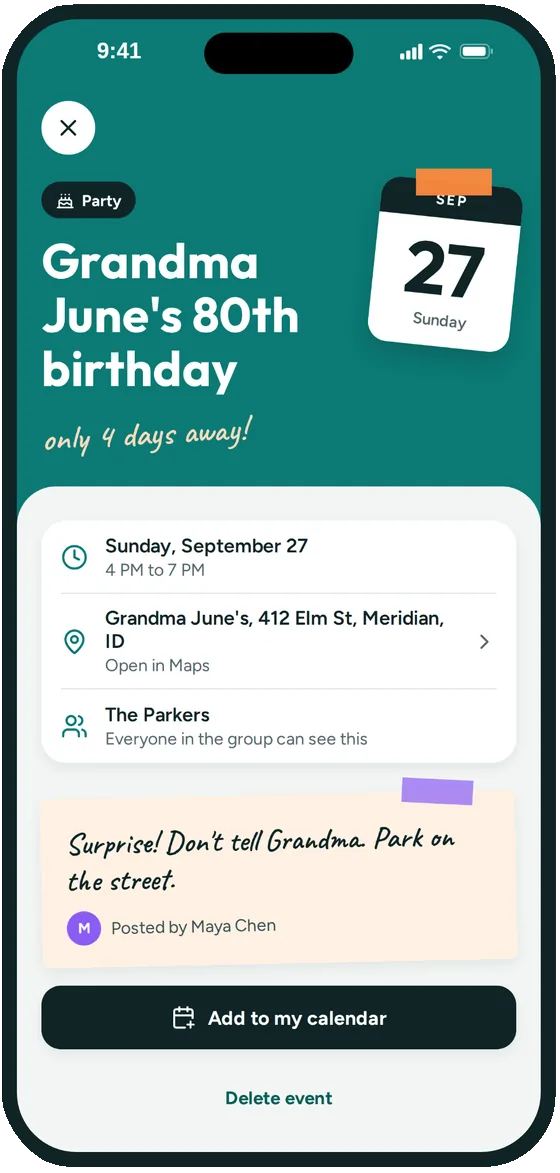
address, notes & a countdown
Every detail in one place
- Date, time and address, ready to open in Maps
- A note for everyone, like what to bring or where to park
- Add photos to an event
- A reminder before it starts, at the time each person picks
Groupy is a shared family calendar for iPhone. Keep the kids' games, practices, recitals and birthday parties in one place, and make sure grandparents, aunts and uncles always know what's coming up.
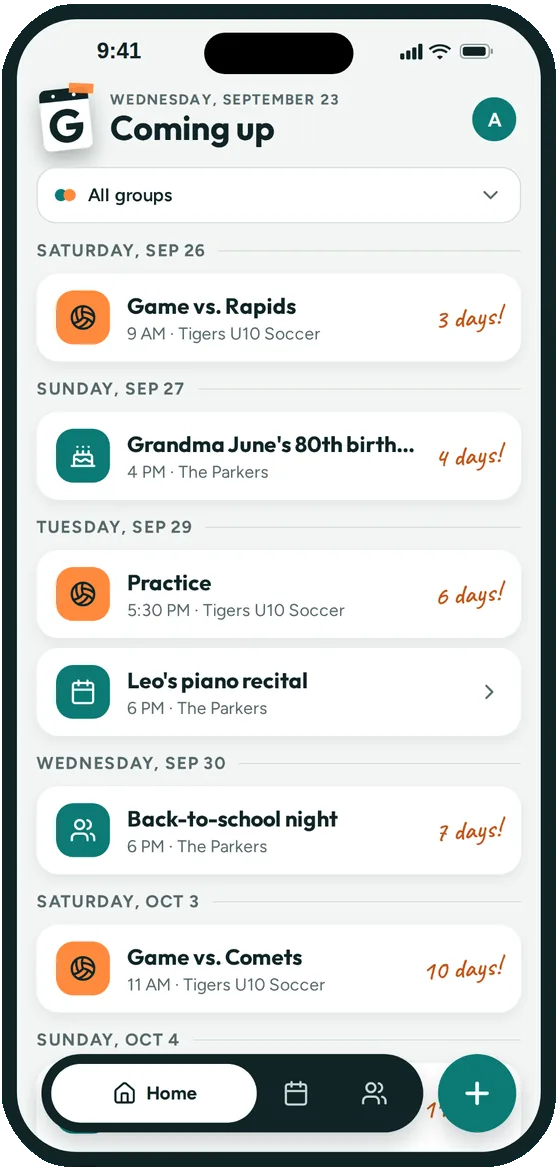
The recital is in a school email. The soccer schedule is a PDF. Grandma's birthday dinner is somewhere in the family group text, and nobody remembers what time.
A shared family calendar fixes that, but only if the whole family can actually see it, including the people who don't live in your house. Groupy is built for the family you actually have: parents, kids, grandparents, cousins, and the friends who are practically family.
Call it something like "The Parkers". Make one for your household, and another for the extended family if you like.
Share the group's link or QR code in the family text. Grandparents tap it once and they're in.
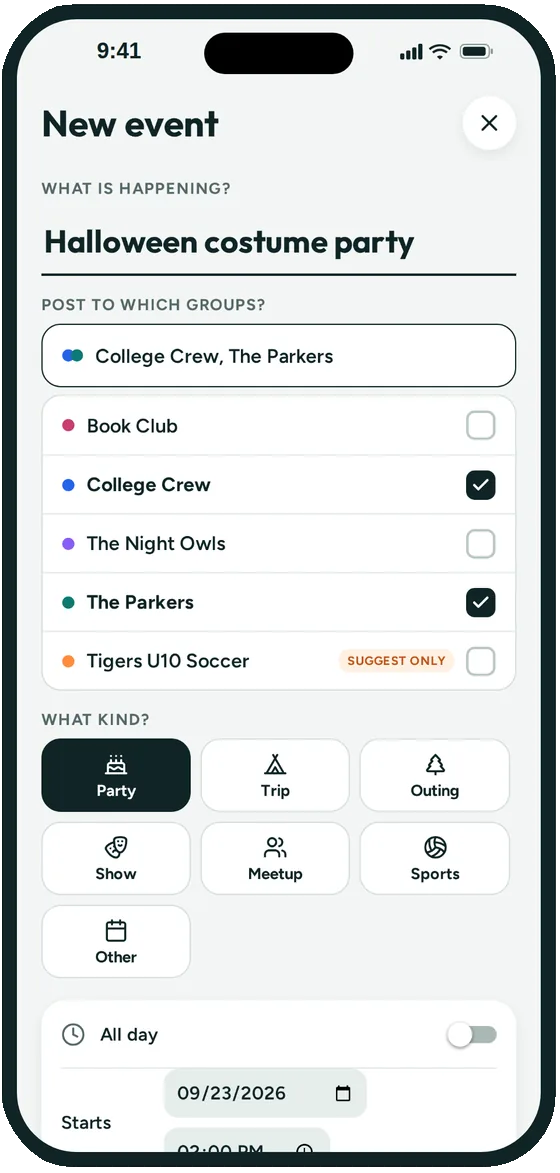
Post birthdays, recitals, holidays and visits. Make weekly lessons and practices repeat, and post one event to several groups at once.
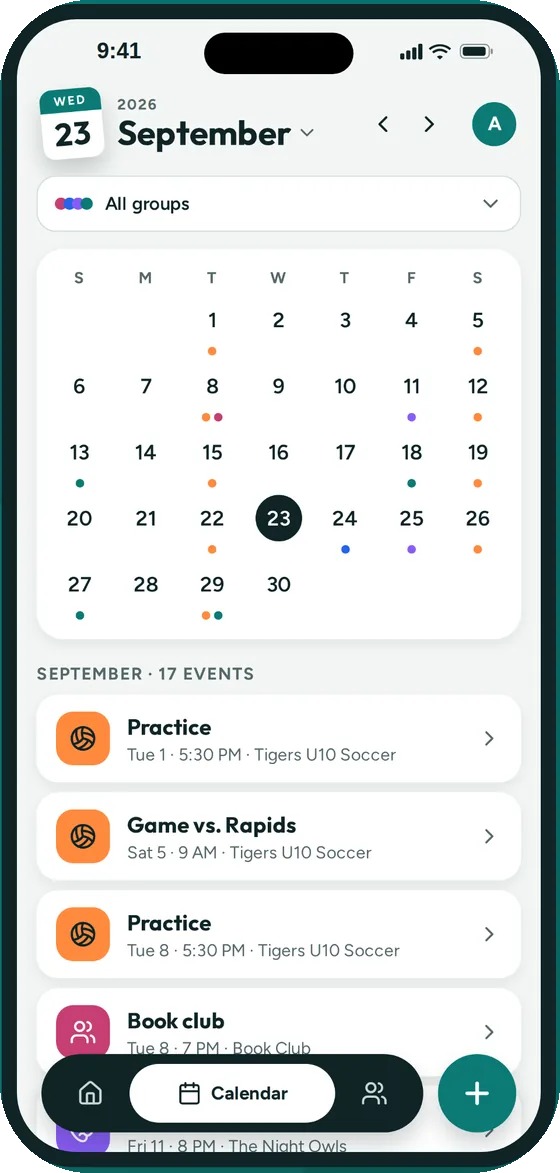
A shared iCloud or Google calendar works well inside one household when everyone uses the same calendar app. It gets harder when you add grandparents, cousins and your kids' teams, because you share it person by person and nobody can tell who's coming.
Family organizer apps like Cozi add shopping lists, to-dos and meal plans. If that's what you need, they're a good choice. Groupy doesn't do lists. It does one thing: a shared calendar for every group your family is part of, with RSVPs so you know who's coming.
Yes. Send them the group's link or QR code and they join on their iPhone. They'll see every event in the group, get a reminder before each one, and can reply Going, Maybe or Can't go.
Yes. Make a group for each: one for your household and one for the extended family. Everything still shows up together in your own Coming up list, and you can post an event to both at once.
You choose. In group settings, let everyone add events, keep it to the admins, or pick a few people. Admins can change it anytime.
Yes. Add any event to your iPhone Calendar, or subscribe to a group so its events show up in the Calendar app and stay up to date.
Groupy is for ages 13 and up, so teens can join the family group on their own iPhone. Younger kids' events can still be posted by a parent.
Not yet. Groupy is iPhone only for now.
Joining a group is free. Creating and managing a group will need a paid subscription for the group's admin once paid plans launch. During the beta, everything in Groupy is free, and Groupy doesn't show ads.

Groupy: Shared Group Calendar is in public beta on iPhone. The link opens Apple's TestFlight app, where you install it. Ages 13 and up.