every kid, every team
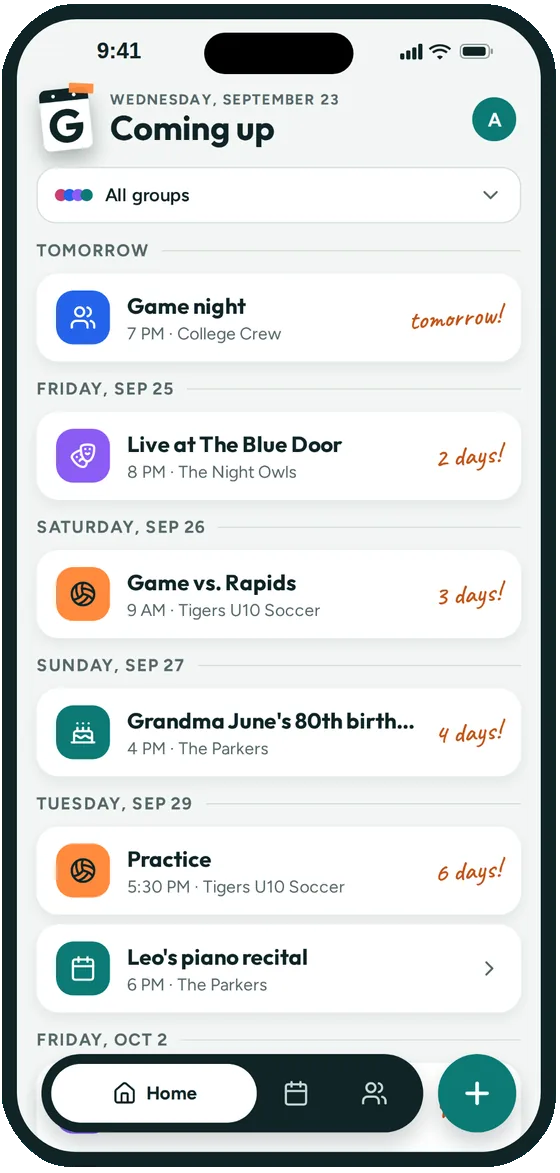
All your kids' teams in one list
- Join each team's group and see every practice and game together
- Your family's own events sit right alongside them
- Filter to one team when you only need that schedule
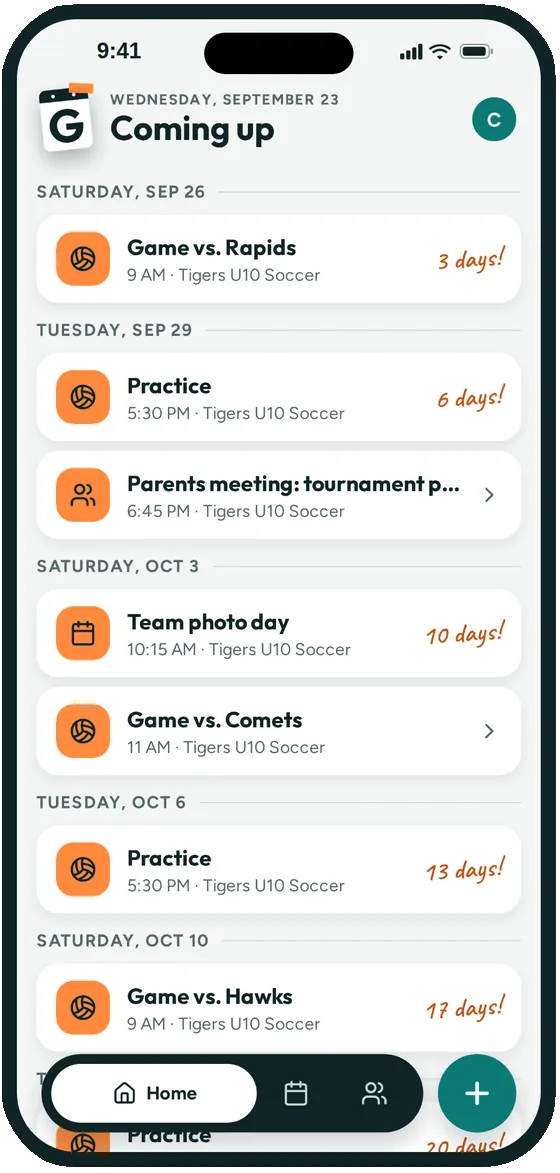
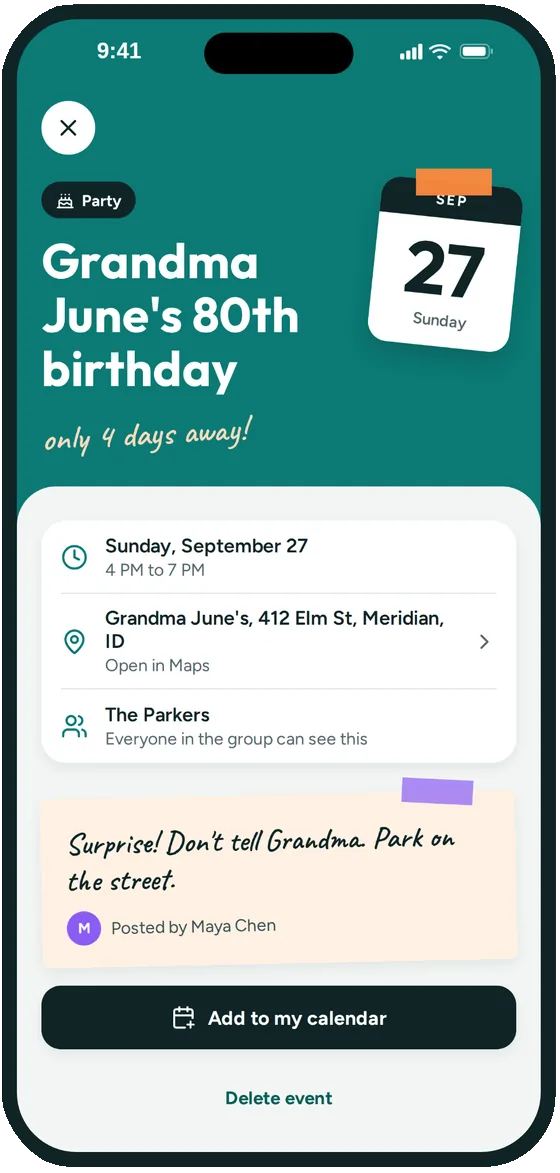
Groupy is a shared calendar app for youth sports teams. The coach posts practices and games once, and every parent sees the whole season on their iPhone, with the field address, a reminder before it starts and who's coming.
Every season starts the same way: a spreadsheet in an email, a photo of a printed schedule, and a group text that's 200 messages deep by the second week. Then practice moves because of rain, and half the team shows up at the old field.
Parents don't need another chat. They need one place to check when and where the next practice or game is, that's always up to date. That's what Groupy is for.
Name it after the team, like "Tigers U10 Soccer". Choose who can post, so the schedule stays in the hands of the coach and team manager.
Make practice a weekly repeating event, add each game with the field from Apple Maps address suggestions, and post the team party and photo day.
Send the group's link in the team email, or put the QR code up at the parent meeting. Parents scan once and the whole season is on their phone.
Apps like TeamSnap and SportsEngine are built for running a team or a league, with rosters, registration, payments and stats. If your league already uses one for that, keep it.
Groupy does one job: the schedule. It's a good fit when parents mostly want to know when and where, and when your family has more than one team, a school calendar and grandma's birthday to keep track of.
Setting up a group for the first time? The help center walks through creating a group, inviting parents and adding repeating events.
Yes. Groupy is an iPhone app, so each parent installs it and joins the team's group from the link or QR code. Once they're in, they can also add events to their iPhone Calendar or subscribe so the team's schedule syncs there automatically. Groupy isn't on Android yet.
Yes. In the group's settings, choose who can post: everyone, admins only, or a chosen few. Most teams keep posting to the coach and team manager so the schedule stays clean, and admins can change the setting anytime.
Edit the event and the new time or place is what everyone sees, on the team's calendar and in each parent's Coming up list. If you've set up a repeating practice, you can change just that date or the whole series. Everyone on the team gets a notification with the new time or place (except anyone who already said they can't make it), and their reminder moves with it.
Yes. Anyone you share the team's link with can join and see the schedule. Admins can approve new members first if the group is private, and you can keep posting limited to the coaches.
Yes. Join each team's group and Groupy's Coming up list shows every practice and game from every team, plus your family's own events, in one list. You can filter by group when you only want one team.
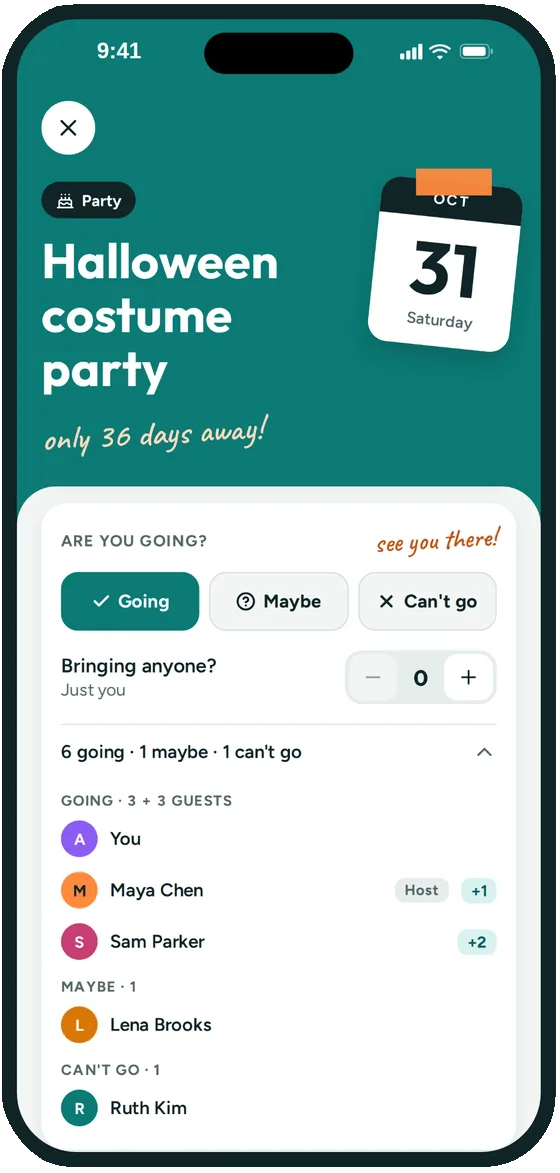
By default, yes. Parents tap Going, Maybe or Can't go and can say how many people they're bringing, and everyone sees the headcount. Whoever posts an event can turn that off so only they see the replies.
Joining a team's group is free. Creating and managing a group will need a paid subscription for the group's admin once paid plans launch. During the beta, everything in Groupy is free, and Groupy doesn't show ads.

Groupy: Shared Group Calendar is in public beta on iPhone. The link opens Apple's TestFlight app, where you install it. Ages 13 and up.